
Error & service codes · plain-English guide
Sub-Zero error codes & service lights
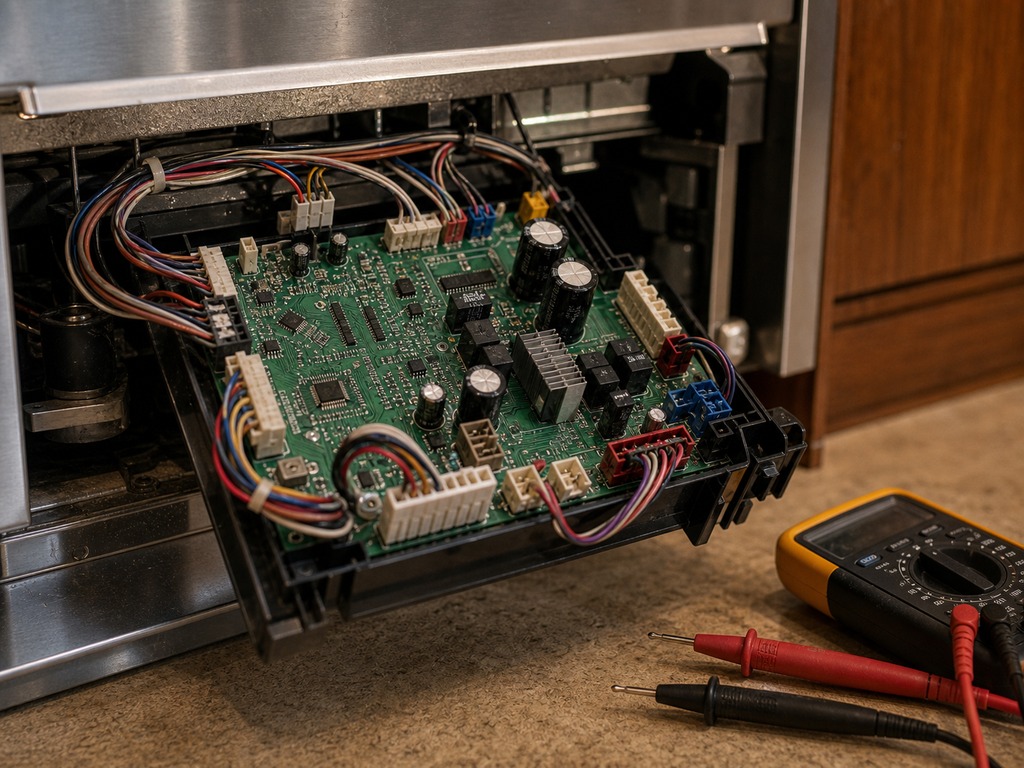
Sub-Zero built-ins rarely show a tidy alphanumeric code. Instead they signal with a flashing temperature display, a service or wrench icon, a high-temp alarm, or a special mode that looks like a fault but isn’t. This is a plain-English guide to the conditions Mountain View owners actually see — which you can clear yourself and which mean it’s time to call. It is a guide to common signals, not a substitute for reading your exact unit; tell us what your display shows and we’ll diagnose it precisely. Genuine OEM parts, $89 service call waived with the repair, 365-day labor warranty.
- What a flashing display, service icon and high-temp alarm really mean
- Owner-resettable modes vs. a genuine service call — sorted out
- $89 waived with repair · 365-day labor warranty
$89 service call, waived with repair · 365-day warranty on all labor
Quick answers
Quick answers
Does Sub-Zero use numbered error codes?
Mostly no. Classic built-ins flash temperatures and sound alarms; newer touch-display units show a service icon or message. We diagnose from the actual condition, not a code list.
My display is flashing — is it broken?
Not necessarily. First rule out showroom, vacuum and sabbath mode and a door-ajar alarm. If the flashing persists with the doors shut and the cabinet warming, that’s a service call.
Can you tell what it is over the phone?
Often we can point you the right way from a photo of the display and your model and serial — but the actual repair always follows an on-site diagnosis.
Read your model and serial first
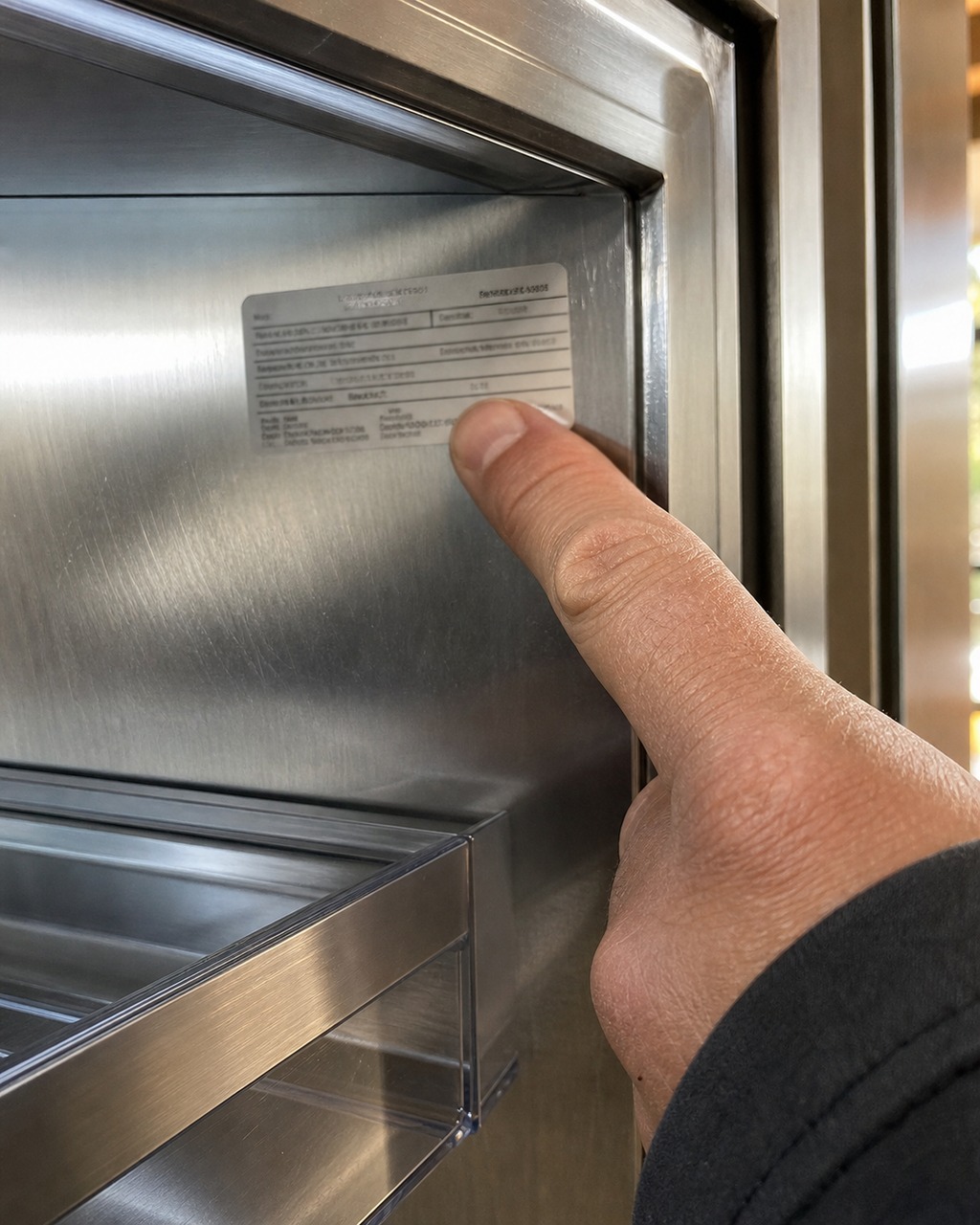
Sub-Zero has built very different control systems over the years, so the same light can mean different things depending on your unit. The classic built-ins in many Monta Loma Eichlers and older kitchens signal mostly with flashing temperature numbers and an audible alarm. The newer Designer and Pro touch-display units common in Cuesta Park and Waverly Park estate kitchens can show a service or wrench icon and on-screen messages. Before anything else, find your model and serial — it tells us which control generation you have and what the signal is trying to say.
Our model and serial lookup shows where the tag hides on built-ins, columns and wine units. A photo of that tag plus a description of the light is usually all we need to point you the right way.
Signal guide
What the signal means → reset or service?
The conditions Mountain View owners see most, and whether they’re a setting or a fault.
| What you see | What it usually means | Reset or service? |
|---|---|---|
| Cabinet warm, no alarm, lights act odd | Showroom / vacuum mode is on | Owner reset — exit the mode |
| No lights, no display, still cooling | Sabbath mode engaged | Owner reset — exit the mode |
| Repeated beeping, a door won’t seal | Door-ajar alarm | Owner reset — close fully |
| Maintenance icon / reminder | Clean-condenser reminder | Owner task — clean, then clear |
| Flashing temps or service icon, won’t clear | Sensor, control or cooling fault | Service call |
| High-temp alarm with doors shut | Not holding temperature | Service call |
When in doubt, tell us exactly what the display shows and we’ll triage it with you.
Owner steps
Try these resets before you call
- 01
Rule out the modes
Check for showroom/vacuum and sabbath mode and exit them; many “dead” or silent units are simply set that way.
- 02
Close and reseat the doors
For a door-ajar alarm, make sure each door and drawer closes fully against the gasket, then let the alarm clear.
- 03
Clean the condenser
For a maintenance reminder, clear dust from the condenser grille and coil, then reset the reminder.
- 04
Give it time, then call
After a power outage, allow the unit to stabilize. If a flashing display or high-temp alarm persists, note your model and serial and book.
The signals owners can usually clear themselves
Several alarms are really settings or reminders, not failures. Showroom or vacuum mode disables cooling for display or a long absence — a unit in this mode looks dead but is working as set, and exiting the mode restores it. Sabbath mode suppresses lights, alarms and the display for observance and can be mistaken for a fault. A door-ajar alarm simply means a door or drawer didn’t seal — close it fully and it clears. A clean-condenser reminder is routine maintenance, not a breakdown. And after a power outage, which happens often enough on the mid-Peninsula grid, a unit may flash briefly and needs a little time to stabilize.
The signals that mean call a technician
Other signals point to a real fault. A flashing temperature display or service icon that won’t clear after you’ve ruled out the modes above usually flags a sensor, control or cooling problem. A high-temp alarm that returns with the doors shut means the cabinet genuinely isn’t holding temperature. Anything paired with actual warming, heavy frost, or a fan or compressor you can’t hear is a service condition, not a setting. In those cases, repeatedly power-cycling the unit only masks the symptom — and on a full estate built-in it can risk your food and, in an upstairs condo, a related leak.
Why we don’t guess from the light alone
A flashing display tells us a condition exists; it doesn’t tell us the part. We confirm the actual cause on-site — reading the control, the thermistors, airflow and, when needed, the sealed system — then give you an itemized quote before any work. That’s the honest difference between clearing a code and fixing what set it. Every repair uses genuine OEM Sub-Zero parts and carries a 365-day labor warranty, with the $89 service call waived when you approve the work.
Do not
What not to do when a light is on
A few reactions hide the real condition or make a fault worse.
- Don’t repeatedly pull power to “reset” a flashing display — it can stress the compressor and mask the fault.
- Don’t ignore a high-temp alarm that returns with the doors shut; move perishables and book.
- Don’t assume showroom or sabbath mode is broken — confirm the setting before calling it a failure.
- Don’t clear a clean-condenser reminder without actually cleaning the condenser.
- Don’t guess a part from the light alone; the same signal can come from several causes.
Reviews
What Mountain View homeowners say
Our touch display kept showing a service icon and I assumed the worst. They explained what the signal actually flags, tested it properly, and it came down to a thermistor — not the scary repair I feared. Clear and honest.
Classic Eichler built-in was flashing and beeping after an outage. They walked me through ruling out the modes first, then confirmed it just needed to stabilize. They could have sold me a visit and didn’t. Earned my trust.
High-temp alarm kept returning with the door shut. They diagnosed a control fault, used an OEM part, and the alarm’s gone. Appreciated that they fixed the cause instead of just clearing the display.
FAQ
Frequently asked questions
What does a flashing temperature display on a Sub-Zero mean?
It signals a condition the control has detected — which could be a setting, a recent power event, or a real sensor or cooling fault. Rule out showroom, vacuum and sabbath mode first; if it persists with the doors shut, it needs a technician.
Why is my Sub-Zero not cooling but showing no fault?
It may be in showroom or vacuum mode, which disables cooling for display or a long absence. Exiting the mode restores normal operation. If it still won’t cool after that, it’s a genuine fault and a service call.
What is the service or wrench icon on newer units?
On Designer and Pro touch-display models it flags that the control has logged a condition needing attention. It doesn’t name the part, so we confirm the actual cause on-site before quoting.
Is a high-temp alarm an emergency?
If it returns with the doors closed and the cabinet is warming, treat it as urgent — move perishables and book. A single alarm after a door was left open often clears on its own.
How do I find my model and serial?
On most built-ins it’s on the upper interior wall of the fresh-food compartment or near the top grille; on columns and wine units, check the interior side wall near the hinge. Our model and serial lookup page shows the exact spots.
Will you just clear the code?
We fix what set it. Clearing a display without addressing the cause means the signal returns. We diagnose the real fault, repair it with genuine OEM parts, and back the labor for 365 days.
Not sure what your Sub-Zero is telling you?
Send a photo of the display or call with your model and serial — we’ll tell you reset or repair.
$89 service call, waived with repair · 365-day warranty on all labor